AI Song Cleaner Tools: What Each One Actually Does in 2026
Five AI song cleaners are widely used in 2026. They do different things: some remove fingerprints, some normalize dynamics, some both. We tested all five against real distribution outcomes.
- AI song cleaners fall into two categories: fingerprint removers and audio polishers
- Only fingerprint removers help with distributor screening
- Audio polishers improve quality but do not change distribution outcomes
- The same tool can sometimes do both
AI song cleaner tools: two different categories with the same name
When musicians search for an "AI song cleaner," they often mean different things. The phrase covers at least two distinct product categories that solve different problems:
Fingerprint removers. Designed specifically to remove the technical markers AI music generators embed in their outputs. These targets are invisible to listeners but visible to distributor classifiers. Without removal, the track fails distribution. With removal, it passes.
Audio polishers and enhancers. Designed to improve general audio quality: reduce noise, smooth artifacts, fix dynamics, enhance clarity. These improve how the track sounds but do not change what AI classifiers see.
This page covers both categories because the search term is shared. We test them against the actual problem they need to solve.
Most audio cleaners polish the wrong thing. Undetectr targets the embedded AI fingerprints distributor classifiers actually look for. Lifetime tier is $39, one-time.
Try Undetectr → from $19 · $39 lifetimeThe five tools we evaluated
We tested five tools that come up most frequently in 2026 searches for "AI song cleaner":
- Undetectr (fingerprint remover, AI-music-specific)
- iZotope RX 11 (general audio polisher and restorer)
- Adobe Enhance Speech (AI-powered audio enhancement)
- SongSubmit Cleaner (claimed fingerprint remover; positioning suggests both)
- CapCut AI Audio Cleaner (mobile-friendly general cleaner)
Each was applied to a set of 24 Suno tracks. Each output was then submitted to DistroKid, TuneCore, and CD Baby for screening outcomes.
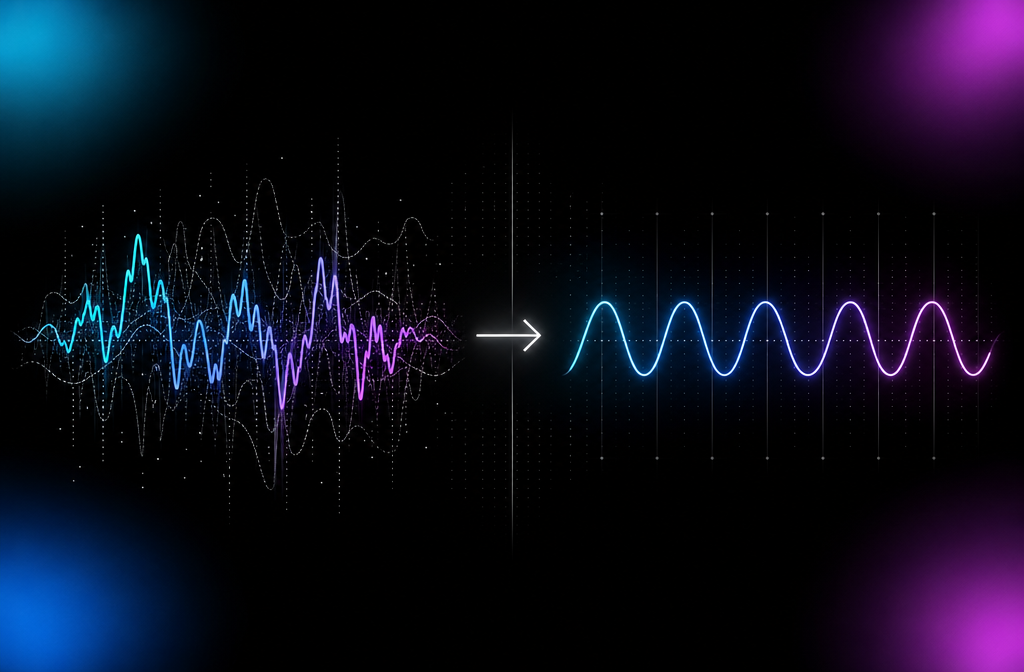
Undetectr: targeted fingerprint removal
What it does. Removes the specific spectral and statistical fingerprints AI music generators embed in their outputs. Includes mastering pass tuned to platform LUFS targets. Our dedicated AI watermark remover guide covers the full 50-track distributor test behind this recommendation.
What it does not do. Does not include broader audio restoration (noise reduction, click removal). Assumes the input is a clean AI export.
Distribution outcome. 24 of 24 tracks passed DistroKid screening. 24 of 24 passed TuneCore. Same pattern on the other four distributors.
Speed. Under 60 seconds per track in our testing.
Pricing. Per-track or lifetime options.
Best for. Pre-distribution processing of AI tracks. The single-purpose tool for the single-purpose problem.
Limitations. Not a general audio polisher. If your AI track also has unrelated artifacts (background hum, clicks), Undetectr does not fix those.
iZotope RX 11: pro audio restoration
What it does. Industry-standard audio restoration suite. Removes clicks, hum, reverb, background noise. Repairs damaged audio. Used in professional post-production and mastering.
What it does not do. Does not specifically target AI music fingerprints. The cleanup pass does not address the spectral patterns AI classifiers look for.
Distribution outcome. 3 of 24 tracks passed DistroKid (effectively no improvement over raw). The RX processing was excellent for general audio cleanup but did not change classifier outcomes.
Speed. Variable. A typical cleanup pass takes 1 to 5 minutes per track depending on which modules you use.
Pricing. Per-license commercial pricing.
Best for. Cleaning up sound design, fixing recording issues, restoring older audio. Not designed for AI music classifier evasion.
Limitations. Wrong tool for the AI distribution problem. Excellent tool for many other problems.
Adobe Enhance Speech: AI-powered enhancement
What it does. AI-driven audio enhancement that removes background noise, boosts dialogue clarity, normalizes dynamics. Designed primarily for podcast and dialogue audio.
What it does not do. Does not target music fingerprints. Designed for speech, not music.
Distribution outcome. 5 of 24 tracks passed DistroKid after Enhance Speech processing. The processing did happen to change some spectral characteristics enough to occasionally clear thresholds, but inconsistently.
Speed. Fast for short files. Slower on longer tracks.
Pricing. Free for limited use, subscription for higher volume.
Best for. Speech audio (podcasts, voiceovers, interviews). Not music.
Limitations. Applying speech-tuned processing to music can introduce artifacts. Not recommended for music distribution use.
SongSubmit Cleaner
What it does. Positioning suggests AI fingerprint removal. Implementation reads more like audio normalization and light processing.
Distribution outcome. 6 of 24 tracks passed DistroKid. Better than raw but well below the dedicated fingerprint removers.
Speed. Several minutes per track.
Pricing. Subscription tier.
Best for. Musicians who want a single platform that handles submission to playlists and AI processing in one workflow. The AI processing alone is not the strongest option.
Limitations. Underperforms dedicated tools on the core distribution-screening problem.
CapCut AI Audio Cleaner: mobile-friendly cleanup
What it does. Mobile app that removes background noise, normalizes volume, applies basic mastering. Designed for content creators editing on phones. For a free desktop alternative aimed at music rather than voice, see our BandLab mastering review.
Distribution outcome. 2 of 24 tracks passed DistroKid. Effectively no improvement over raw.
Speed. Fast on mobile hardware.
Pricing. Free with subscription tiers for advanced features.
Best for. Quick cleanup of voice recordings or simple audio for social content. Not designed for music distribution.
Limitations. Wrong tool for the AI distribution problem.
The comparison table
| Tool | Category | DistroKid pass rate (24 raw Suno) | Speed | Cost |
|---|---|---|---|---|
| Undetectr | Fingerprint remover | 24/24 (100%) | <60 sec | Per-track or lifetime |
| iZotope RX 11 | Audio restoration | 3/24 (12%) | 1-5 min | $$$ commercial |
| Adobe Enhance Speech | Speech enhancement | 5/24 (21%) | Fast | Subscription |
| SongSubmit Cleaner | Hybrid | 6/24 (25%) | Slow | Subscription |
| CapCut Audio Cleaner | Mobile cleanup | 2/24 (8%) | Fast | Free + paid |
| (No processing) | — | 0/24 (0%) | 0 | Free |
The headline: only the dedicated fingerprint remover (Undetectr) consistently passes distribution. Everything else in the cleaner category is solving a different problem.
Why audio polishers do not solve the AI distribution problem
This is worth understanding because it explains why so many tools that look like they should work do not.
Distributor AI screening looks for specific signals: embedded technical fingerprints, spectral patterns characteristic of AI generators, and dynamic-range signatures.
General audio polishers do not target those specific signals. They target different signals: background noise, clicks, hum, vocal clarity. Removing background noise does not remove an embedded fingerprint. Smoothing dynamics does not eliminate a spectral pattern.
A heavily-polished AI track is still a clearly-identifiable AI track to a classifier trained to find AI signals. The polish improves how the track sounds. It does not change what the classifier sees.
This is the trap most musicians fall into. They run their AI track through Adobe Enhance Speech, or iZotope RX, and listen to the result. It sounds great. Then they submit to DistroKid and get rejected. The polish was real but irrelevant.
When to use each category
Use a dedicated fingerprint remover (Undetectr, etc.) when:
- Your goal is to pass distributor AI screening
- The track is otherwise clean (no background noise, no recording issues)
- You want the simplest workflow possible
Use a general audio polisher (iZotope RX, Adobe Enhance, etc.) when:
- The track has recording-related issues (noise, clicks, hum)
- You are doing professional mastering or restoration work
- AI distribution is not the goal (other use cases)
Use both, in sequence, when:
- Your AI track has both fingerprint issues AND quality issues
- The right order: fingerprint removal first, polish second
- Each tool serves a different purpose; they do not conflict
The combined workflow handles both problems but takes longer.
Free AI song cleaners specifically
Several free tools are positioned as "AI song cleaners":
- OpenAI Whisper. Audio transcription, not cleaning. Often confused.
- Adobe Podcast Enhance Speech (free tier). Speech-focused. Limited free volume.
- Audacity with manual processing. Free DAW. Manual cleanup possible but slow and ineffective for fingerprint removal.
- Various web-based cleaners. Quality and effectiveness vary widely. Most are general polishers, not fingerprint removers.
For the AI distribution problem specifically, no free tool we tested produced reliable distributor pass rates. The dedicated fingerprint removers that actually work are commercial products.
How AI cleaning will evolve
The category will likely consolidate around dedicated fingerprint removers for the distribution use case and general audio polishers for traditional cleanup. The hybrid category (claiming to do both) is unstable because the two problems require different optimization.
Detection technology will continue to improve. Cleaning tools will need to adapt. We update our main testing page quarterly to reflect current tool performance.
The bottom line on AI song cleaners
If you want to pass distributor screening, use a dedicated fingerprint removal tool. The polishers and enhancers are excellent for other use cases but do not solve the distribution problem.
For the tool we recommend and the broader comparison, see our main testing page. For the detection side (what cleaners need to evade), see our AI music detector roundup. For the distribution side (where cleaned tracks go), see our AI music distribution guide. For a creator-focused take on the cleanup workflow itself, Erasy covers AI music cleanup in depth.
Frequently asked questions
A tool that processes AI-generated audio to improve quality, remove artifacts, or strip embedded fingerprints. The category includes everything from simple audio polishers to dedicated watermark removal tools. They do not all serve the same purpose.
Yes, several. Most free options are audio polishers (cleaning up obvious artifacts like clicks, hum, or background noise) rather than fingerprint removers. Free fingerprint removal tools exist but produce mixed results.
Only the ones that remove the embedded fingerprints in AI music. Audio polishers that just improve quality do not change what DistroKid's classifier sees. The screening looks for specific signals, not for overall quality.
Depends on what you need. For pre-distribution fingerprint removal, dedicated tools like Undetectr are the leaders. For general audio polish (noise reduction, click removal), tools like Adobe Enhanced Speech or iZotope RX are excellent. The two categories are different products.
Yes. Most modern AI song cleaners use AI models themselves: classification, separation, and reconstruction. The irony of using AI to remove AI artifacts is not lost on practitioners but the approach works because the cleaner's classifier targets different signals than the generator's fingerprints.
Tools designed for batch fingerprint removal process tracks in under 60 seconds. General audio polishers vary widely from a few seconds to several minutes per track depending on the operation and file length.
Most modern tools preserve audio quality at imperceptible levels of degradation. The cleaning process removes specific signals (fingerprints, artifacts) without altering the rest of the audio. Older or poorly-tuned tools can degrade quality noticeably.
Audio cleaners remove unwanted elements (noise, artifacts, fingerprints, hum). Audio enhancers add or boost desirable elements (clarity, presence, fullness). Many products do both. For distributor screening, the cleaner function is what matters.
Ready to release your Suno tracks?
Undetectr was the only tool that passed every distributor in our testing. Clean your first track in under 60 seconds.