BandLab Mastering in 2026: Is the Free AI Master Good Enough?
BandLab mastering is free, fast, and better than it has any right to be at the price. It is also a loudness and tonal-balance process, which is not the same thing as cleaning up an AI-generated track. Here is what the free tier actually covers, how it lines up against the paid services, and what the published detection research says about whether a master changes anything at the screening stage.
- BandLab mastering is genuinely free with no watermark on the output, and it returns a finished master in about a minute
- Reviews disagree sharply on the paid tier: BandLab Membership is quoted anywhere from $1.99 to $14.95 a month across 2026 write-ups, so check BandLab's own pricing before assuming a number
- The AI artifacts detectors look for are architectural. Afchar et al. traced them to deconvolution layers and hit over 99% accuracy on the spectral peaks alone
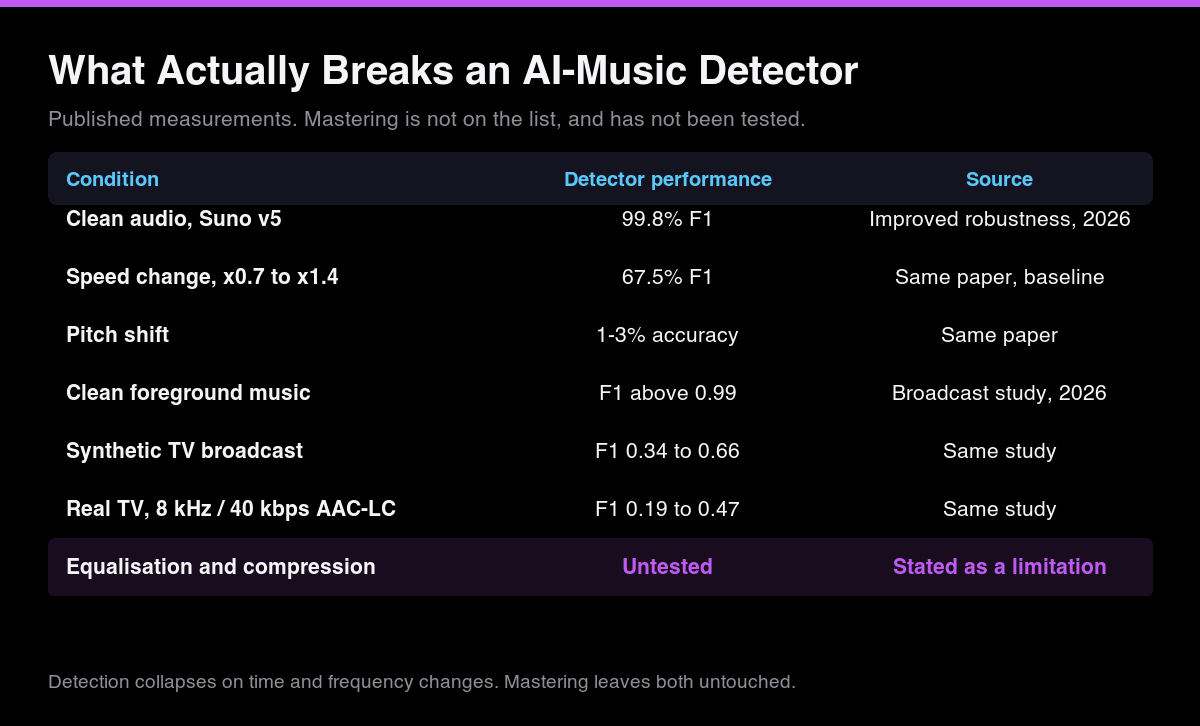
- Published attacks that break those detectors are geometric — speed, pitch and resampling. One paper records 99.8% F1 collapsing to 67.5% under speed change, and 1-3% accuracy under pitch shift
- Equalisation and dynamic range compression, which is most of what a mastering pass does, are explicitly listed as untested in that same paper. Nobody has published evidence that mastering defeats screening
- BandLab mastering in 2026, in one paragraph
- Is BandLab mastering good? The verdict, by what you are judging
- Is BandLab free mastering actually free?
- Does BandLab mastering use AI? What it does to your audio
- BandLab mastering vs paid AI mastering tools
- Where AI artifacts survive mastering
- Can a BandLab master get a track past distributor screening?
- Using BandLab on a Suno or Udio track
- When to use BandLab, and when to skip it
- What to do after the master is done
BandLab mastering in 2026, in one paragraph
BandLab mastering is a free, machine-learning mastering tool bundled with a free BandLab account. You upload a mixdown, pick a preset, and about a minute later you get a loudness-normalised master with no watermark on it. For demos, beat-store uploads and reference bounces it is the strongest free option available in 2026, and the competition at that price is basically nothing. What it does not do is address the thing this site exists to cover: the technical signature that AI music generators leave in their output, and that distributors' automated screening looks for. Those are two different problems, and the rest of this page is about keeping them apart.
We test tools against the protocol on our methodology page. Where this page cites detection performance, it cites published, peer-reviewed measurements rather than our own bench, because the detectors in question are not ones we can run at the accuracy the papers report.
Is BandLab mastering good? The verdict, by what you are judging
"Good" depends entirely on which part of the job you are asking about, and BandLab is not uniformly anything — it is excellent on two axes, adequate on one, and simply absent on three. Here is the whole answer in one table, and every row of it is expanded further down the page.
| What you are judging | Verdict | Why |
|---|---|---|
| Price | Best in class | Free, no credit system, and the file you download carries no watermark. LANDR, eMastered and CloudBounce all hand you a watermarked preview until you pay |
| Turnaround | Best in class | A finished master in about a minute |
| Consistency across a release | Strong | One preset across ten tracks gives you one body of work, which is the part of mastering most self-releasing musicians skip |
| Control | Its weakest point | Preset only. No reference-track workflow, no per-band control, no visibility into what it changed |
| Export quality | Hard ceiling | WAV export reported capped at 16-bit, including on paid tiers, where the paid services deliver 24-bit |
| Loudness targeting | Not offered | You accept the preset's target. LANDR and eMastered both let you pick one |
| Rescuing a weak mix | No | Mastering is the last 5% of a finished mix; more limiting makes a problem louder, not better |
| Getting an AI track past distributor screening | No | Wrong tool entirely, for reasons the research section below sets out |
So: yes, if the question is "is this good enough to release a demo or a beat-store upload". No, if you need a 24-bit deliverable, a specified LUFS target, or anything a sync brief would call a spec. And no in a different way if you came here hoping a master would get a generated track past an uploader's AI screening — that is a category error rather than a quality judgement, and it is the one this site exists to explain.
Is BandLab free mastering actually free?
Mostly, and more so than its competitors. The mastering engine costs nothing, there is no credit system in front of it, and the file that comes out has no watermark or audio tag stamped into it. That last point is worth stating plainly because it is where most free mastering services earn their money: LANDR, eMastered and CloudBounce all gate the clean file behind a payment and hand you a watermarked preview until you pay.
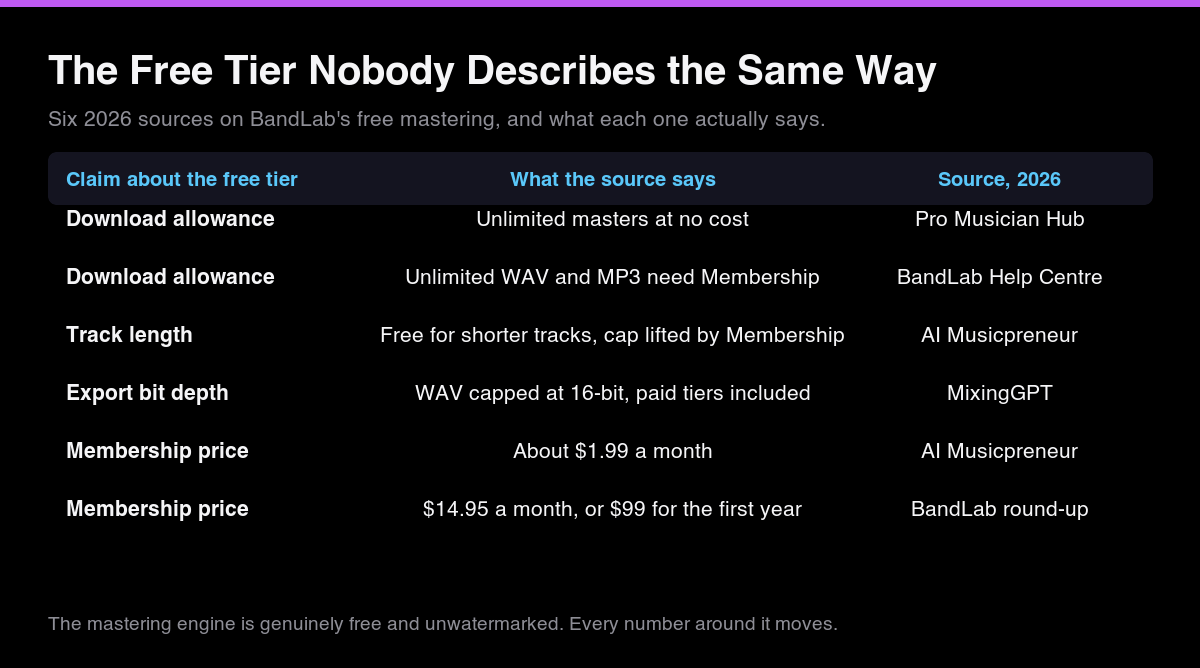
Where the free tier gets murky is everything around the engine. Track length caps, export format and how many finished files you may download have all been described differently across 2026 reviews, and the paid Membership price is quoted across a range wide enough that at least one of the numbers must be stale.
| Claim about the free tier | What the source says | Source, 2026 |
|---|---|---|
| Download allowance | "Unlimited masters at no cost" | Pro Musician Hub |
| Download allowance | Unlimited WAV and MP3 downloads require Membership | BandLab Help Centre summary |
| Track length | Core mastering free for shorter tracks; Membership removes the length cap | AI Musicpreneur |
| Export bit depth | WAV export capped at 16-bit, including on paid tiers | MixingGPT |
| Membership price | ~$1.99 per month | AI Musicpreneur |
| Membership price | $14.95 per month, or $99 for the first year | BandLab pricing round-up |
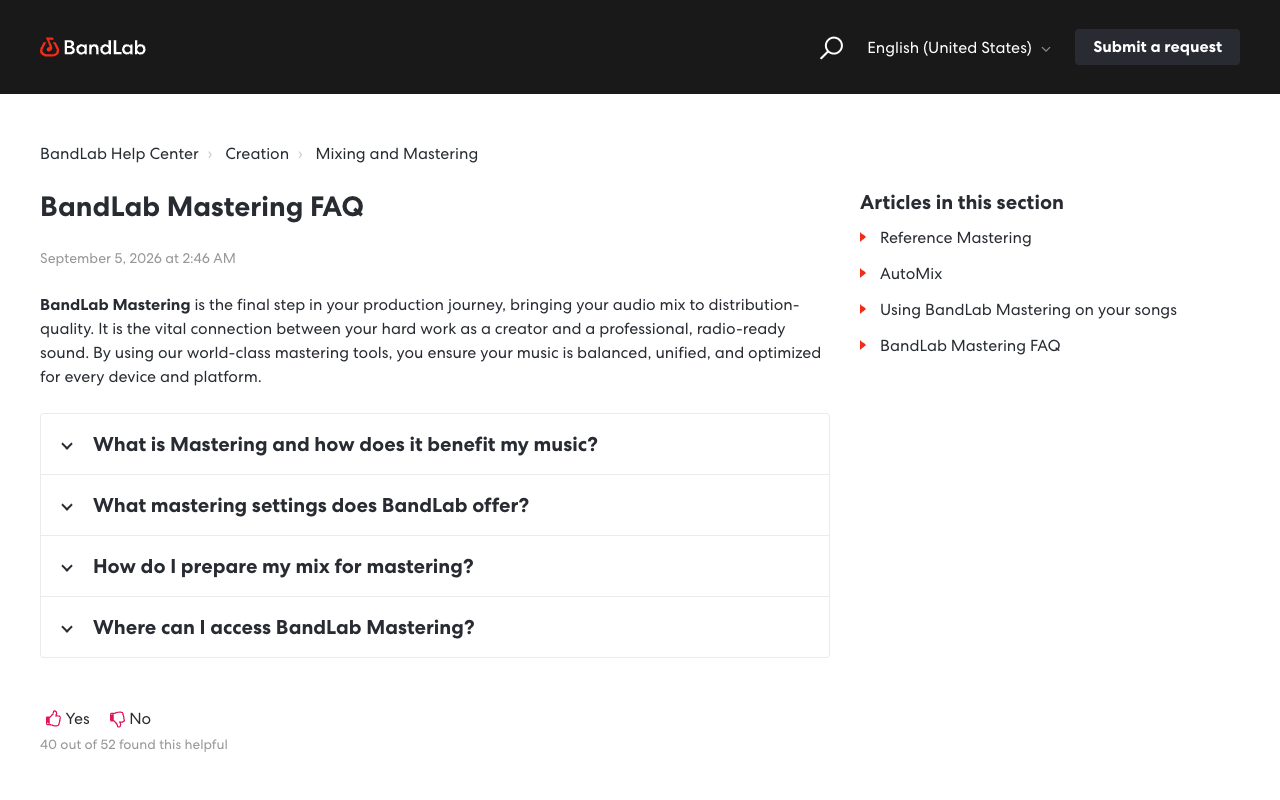
Two things follow. First, the free mastering is real and you should use it. Second, do not plan a release schedule around a specific download quota you read in a review, this one included, because the tiers move. BandLab's own mastering help centre and pricing page are the only authority, and that help centre sits behind a bot wall that returns 403 to automated checks, so it is a page you have to open in a browser yourself.
Does BandLab mastering use AI? What it does to your audio
Yes, and BandLab AI mastering is the same product as BandLab mastering — there is no separate AI tier to buy. The tool has been model-driven since launch, so the "AI" in the query is how people search for it rather than a feature you switch on.
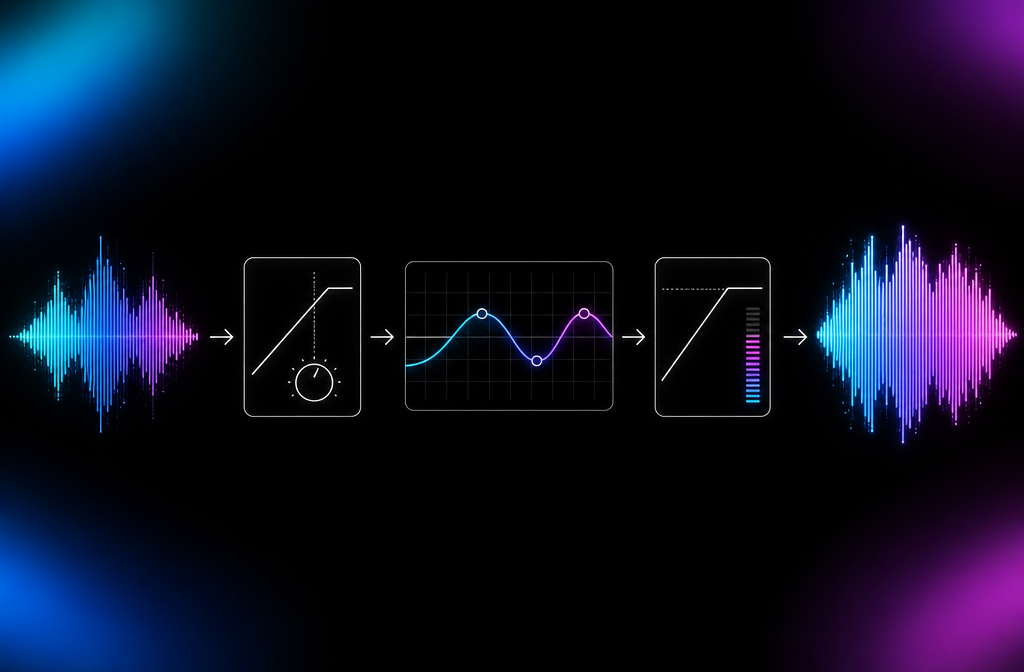
Mechanically it is a conventional mastering chain with the decisions automated. The model analyses your mixdown and applies equalisation, dynamic range compression, limiting and stereo adjustment, then normalises the result to a streaming-appropriate loudness. You steer it by choosing a preset rather than by turning knobs. Reviews from 2026 name the free preset set as Universal, Fire, Clarity and Tape, while older write-ups still list retired names such as CD Quality, Bass Boost and Enhance Clarity, which is a reasonable sign the lineup gets refreshed.
What it does well is consistency. Run ten tracks through the same preset and they come out feeling like one body of work, which is the part of mastering that most self-releasing musicians actually need and most often skip. What it does not give you is a reference-track workflow, per-band control, or any visibility into what it changed. The output is opaque by design.
BandLab mastering vs paid AI mastering tools
The honest comparison is not "is BandLab as good as LANDR" but "what does paying actually buy". Figures below are as reported in a September 2026 comparison of the four main automated services; prices move, so treat them as the shape of the market rather than a quote.
| Service | Price | Free tier | Export formats | Loudness control |
|---|---|---|---|---|
| BandLab | Free | Unlimited, no watermark | MP3, WAV (16-bit) | Preset only (Universal, Fire, Clarity, Tape) |
| LANDR | From ~$9/month | Watermarked previews | MP3, WAV 16-bit, HD WAV 24-bit | Low / Medium / High, ~-14 to ~-9 LUFS |
| eMastered | ~$15-20/month or per master | Watermarked previews | WAV, AIFF, MP3, FLAC (16/24-bit) | Adjustable dial, ~-14 to ~-8 LUFS |
| CloudBounce | ~$11/master or ~$22/month | Limited free credits | WAV, AIFF, MP3 (FLAC, OGG paid) | Loudness dial plus genre presets |
Paying buys three things: 24-bit export, a loudness target you choose rather than accept, and more voicings to choose between. The same comparison rates eMastered strongest on tonal balance and LANDR strongest on sheer loudness for aggressive genres, but all of it is A/B listening rather than measurement, so treat the rankings as opinion.
None of the four does anything about AI generation artifacts. That is not a criticism of any of them. It is not what a mastering service is for, and none of them claims otherwise.

Where AI artifacts survive mastering
This is the part no other BandLab review covers, and it is the reason this page exists on this site rather than a general music-production blog.
The signature that AI-music detectors key on is not a watermark and not a stylistic tell. Afchar and colleagues at Deezer traced it to the deconvolution modules inside generative audio models, in A Fourier Explanation of AI-music Artifacts, accepted at ISMIR 2025. Those upsampling layers produce what the image-processing literature calls a checkerboard artifact, which in audio shows up as small, regularly spaced spectral peaks. Their finding is that these peaks are a property of the model architecture rather than of its training data or weights, and that a simple detector keyed to them exceeds 99% accuracy in several scenarios, matching deep-learning classifiers with a far more interpretable criterion.
That matters here because of where the peaks live. They are fine, narrow features in the frequency domain. A mastering pass is the opposite kind of operation: broad shelving and bell EQ moves, wideband compression, a limiter on the output. It reshapes the envelope of the spectrum without disturbing its fine structure much, which is precisely why a mastered track still sounds like the same performance.
The published attacks that do break these detectors are geometric rather than tonal. A July 2026 paper, Improved robustness in AI-generated music detection, measures the damage directly, and an August 2026 study of detection in real-world broadcast monitoring shows what heavy codec degradation does to the same models.
| Condition | Detector performance | Source |
|---|---|---|
| Clean audio, Suno v5 | 99.8% F1 | Improved robustness in AI-generated music detection, 2026 |
| Speed change (x0.7 to x1.4) | 67.5% F1 | Same paper, baseline detector |
| Pitch shift | 1-3% accuracy | Same paper, on its own detector |
| Resampling to 22.05 kHz | "Enough to flip the predicted label on a large fraction of AI samples" | Same paper |
| Clean foreground music | F1 above 0.99 | Broadcast monitoring study, 2026 |
| Synthetic TV broadcast | F1 0.34-0.66 | Same study |
| Real TV broadcast, 8 kHz / 40 kbps AAC-LC | F1 0.19-0.47 | Same study |
Read the top half and the bottom half together. Detection collapses when you change the time or frequency axis of the signal, and when you crush it through an 8 kHz, 40 kbps broadcast codec. Neither of those describes mastering, which leaves pitch and tempo untouched and hands you a full-bandwidth file at the end.
And the paper that measured all of this says, in its own limitations, that equalisation, dynamic range compression and codec compression remain untested. That is the entire honest answer to "will mastering beat the detector": it has not been tested, the mechanism argues against it, and anybody claiming otherwise is filling the gap with confidence rather than data.
Can a BandLab master get a track past distributor screening?
Not on the evidence available, and it is worth being precise about what screening even is, because the folklore around this is worse than the reality.
Distributors have not banned AI music. DistroKid, RouteNote, UnitedMasters, LANDR, Amuse and Symphonic all accept it openly, generally with a disclosure requirement at upload, and we went through every published policy in our distributor AI policy round-up. What people do report is automated screening flagging and rejecting individual uploads, which is a narrower and more annoying problem than a ban: your catalogue is welcome, this particular file is not, and you rarely get told why.
A mastering pass does not change what that screening sees, for the reasons in the section above. What changes it is processing built for the artifact itself, which is a different category of tool from a mastering service. That is the job Undetectr is built for, and the honest boundary is worth stating: it targets automated screening and audible generation artifacts. It does not stop a platform labelling a track as AI, because labelling is not a detection outcome. Apple's transparency tags are declared by the provider on delivery, and Spotify's AI Persona badge is disclosure-driven. No processing tool touches either one.
If you want the wider view of what these tools do and do not fix, our AI song cleaner round-up covers the category, and the sister guide to cleaning AI-generated music for release on erasy.co runs the same ground as a checklist.
Mastering sets your loudness and tonal balance. It does not touch the generation artifacts automated screening keys on, and no mastering service claims it does. Undetectr targets that step specifically.
See Undetectr pricing → from $19 · $39 lifetime · affiliate linkUsing BandLab on a Suno or Udio track
The order of operations is the whole trick, and it is the same order a conventional release uses.
Start from the highest-quality export your generator gives you. On Suno that means the WAV rather than the streaming MP3, and if you are on a plan with stems, keep them, because every later decision is easier with them. We cover what changed in recent versions in the Suno v5 watermark guide.
Do your artifact work next, before anything touches loudness. Anything aimed at generation artifacts alters the signal, and you want the mastering decisions made on the file you are actually going to ship rather than on an earlier version of it.
Master last. Upload the cleaned file to BandLab, try more than one preset, and listen on the worst speakers you own rather than the best ones, because streaming compression is unkind to an over-limited master. If a preset is pumping the low end or squashing the vocal transients, that is the preset being wrong for the material, not the tool failing.
Then check what you are about to ship. Running the finished file through a detector before a distributor does it for you tells you where you stand; our AI music detector guide covers which ones are worth the time, and our IRCAM Amplify review looks at one of the detectors distributors themselves license.
When to use BandLab, and when to skip it
Use it when the budget is zero and the track needs to sound finished. Demos, references for a collaborator, beat-store uploads, an album that needs consistent loudness across ten tracks: BandLab handles all of that competently and free, and paying for a service to do the same job on a demo is money you did not need to spend.
Skip it when you need control or bit depth. A 24-bit master, a specific LUFS target, or a reference track to match are all things BandLab does not offer and paid services do. A sync brief that specifies deliverables is the clearest case for paying.
Skip it entirely as a fix for a broken mix. Mastering is the last 5% on a finished mix and cannot rescue a muddy low end or a vocal buried under the arrangement. If your mix has structural problems, more limiting makes them louder rather than better.
And do not reach for it as a screening step. It is the wrong tool for the artifact problem, and using it as one mostly costs you the time you spend being surprised when the upload gets flagged anyway.
What to do after the master is done
A finished master is the start of the hard part, not the end of it. The wall for most people releasing AI-assisted music in 2026 is not distribution, which is broadly solved and cheap, and not screening, which is a per-file annoyance. It is that nobody hears the track. We went through the release-side numbers in our piece on AI music release limits, and they are unforgiving: the ceiling that bites is set by the platforms and the audience, not by your distributor.
Which is an argument for routes to money that do not require an algorithm to pick you. Paid sync placement in film, television, games and advertising pays a fee per placement rather than fractions of a cent per play, and it is decided by a music supervisor listening to a brief rather than by a recommendation system. Played.fm exists for that route, and for selling direct to the people who already listen, where you keep what you make and own the relationship rather than renting it.
Master the track properly, by all means. BandLab will do that for free and do it well. Just be clear that a good master is table stakes rather than a strategy, and that the two problems after it, screening and being heard, are not ones a mastering preset was ever going to solve.
Frequently asked questions
The mastering tool itself is free with a BandLab account, and it does not stamp a watermark on the output. What varies by tier is the surrounding allowance: reviews through 2026 describe caps on track length, export format and download counts that lift with a paid Membership. The specifics have changed more than once, so treat BandLab's own help centre as the authority rather than any review, including this one.
For a free tool, yes. It applies competent EQ, compression and limiting and brings a mix up to streaming loudness in about a minute. It is preset-driven rather than parametric, so you get a small set of voicings rather than per-track control, and it will not fix a mix that has problems underneath. Judged against paid services it trades refinement for being free and unlimited.
They are the same product. BandLab's mastering has been machine-learning driven since launch, so 'BandLab AI mastering' is how people search for the same tool rather than a separate tier. There is no manual mastering mode to compare it against.
There is no published evidence that it does, and good reason to think it does not. The artifacts that detectors key on come from the generator's deconvolution layers and sit in the fine structure of the spectrum. Mastering adjusts broad tonal balance and dynamics, which is a different scale of change. Treat mastering as polish, not as removal.
Nobody has published a test of it. The transformations documented to break AI-music detectors are geometric ones such as speed change, pitch shift and resampling. The 2026 robustness paper that measures those states plainly that equalisation, dynamic range compression and codec compression remain untested. Anyone telling you a master reliably clears screening is going beyond the evidence.
They optimise for different things. LANDR offers more format options, more loudness control and bundled distribution on its higher tiers, and reviewers generally give it the edge on refinement. BandLab is free and unlimited. For demos, references and anything where the budget is zero, BandLab wins on value; for a release you are putting money behind, LANDR gives you more to steer.
Reviews from 2026 report uploads in the common consumer formats including MP3, WAV, M4A, AAC and OGG, with exports as MP3 and WAV. One 2026 comparison notes BandLab caps WAV export at 16-bit, where paid services offer 24-bit. If you need a 24-bit master for a mastering engineer or a sync brief, that cap is the reason to look elsewhere.
Clean first, master last, for the same reason mastering comes last in any conventional chain. Processing aimed at generation artifacts changes the signal, and you want your loudness and tonal decisions made on the audio you are actually shipping. Mastering first means re-mastering afterwards anyway.
Ready to release your Suno tracks?
Explore Undetectr’s published track-processing features before preparing your release.