Suno Stems: How to Extract Stems from Suno Tracks in 2026
Suno does not export stems. AI stem splitters do. Four tools tested on Suno output. Here is which ones produce usable stems and which ones smear the audio.
- Suno does not natively offer stem export
- AI stem splitters can extract approximate vocals, drums, bass, and instrumental layers
- Quality varies: best tools produce usable stems, worst tools produce garbage
- Stem extraction does not solve the distributor screening problem

Suno does not export stems. Here is the workflow that does.
Suno's interface gives you a stereo mix in WAV, MP3, FLAC, or M4A. That is the only output. If you want individual vocals, drums, bass, and instrumental tracks for mixing, remixing, or creative reuse, you need a stem separation tool that runs after generation.
This page covers which stem extraction tools actually work on Suno output, what quality you can expect, and where stem workflows fit in the broader Suno release pipeline.
A note up front: stem extraction does not solve the distributor screening problem. If your goal is shipping Suno tracks to streaming platforms, the relevant tool is a fingerprint remover, not a stem splitter. We covered the screening problem on the main testing page and the DistroKid AI detection guide. Stems are about creative remixing, not distribution.
The four stem splitters we tested
Lalal.ai. Web-based AI stem separation with multiple tier options. Free tier with limits, paid tiers for unlimited use.
Moises. Browser and mobile app. Subscription model. Strong on vocal separation and karaoke-style isolation.
LANDR Stem Splitter. Bundled with LANDR subscriptions. Web interface.
Audacity with Demucs. Free, open-source. Requires installing Demucs and configuring the workflow but the model is genuinely competitive.
We processed 12 Suno tracks across genres (electronic, lo-fi, vocal-led pop, instrumental) through each tool. Scoring on vocal isolation cleanliness, drum separation quality, bass extraction usability, and instrumental layer coherence.
Quality by tool
| Tool | Vocals | Drums | Bass | Instrumental | Overall |
|---|---|---|---|---|---|
| Lalal.ai | 4.5 / 5 | 3.8 / 5 | 3.5 / 5 | 4.0 / 5 | 4.0 |
| Moises | 4.3 / 5 | 3.5 / 5 | 3.3 / 5 | 3.8 / 5 | 3.7 |
| LANDR Stem Splitter | 3.8 / 5 | 3.2 / 5 | 3.0 / 5 | 3.6 / 5 | 3.4 |
| Audacity + Demucs | 4.3 / 5 | 3.7 / 5 | 3.5 / 5 | 4.0 / 5 | 3.9 |
Lalal.ai and Audacity+Demucs are essentially tied for top quality. Demucs is free if you can handle the setup; Lalal.ai is simpler if you want a polished web interface.
Vocal separation is consistently the strongest extraction across all tools. Drums and bass are harder; the separation is approximate, sometimes with artifacts at the boundaries between elements.
For most use cases (remix, karaoke, or stem-based mixing), Lalal.ai or Demucs produce usable output. For professional remix work where stem quality matters at the highest level, you may need to do additional cleanup on the extracted stems regardless of which tool you use.
Extract stems for remixing. Process through Undetectr to pass distributor screening. Different tools, different jobs, both real.
Try Undetectr → from $19 · $39 lifetimeHow stem extraction works on Suno output
Suno's generation produces a stereo mix. The mix is bouncing all the instruments and vocals together; the original "stems" never exist as separate files outside Suno's internal representation.
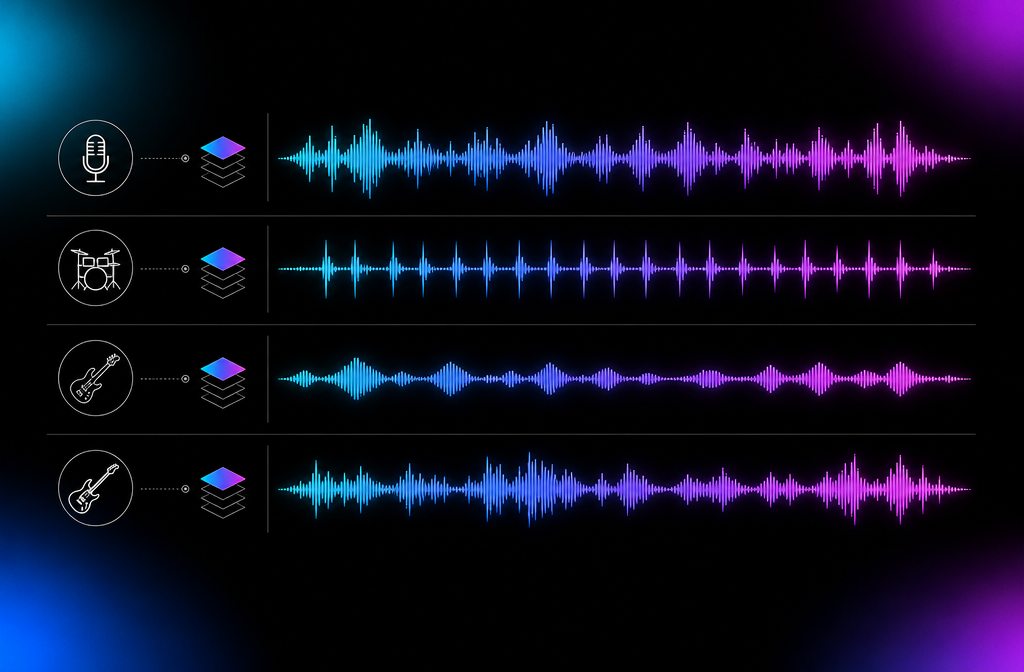
AI stem splitters approximate the stems by reversing the mixing process. Models like Demucs (the open-source baseline) are trained on millions of music tracks paired with their stem source files. Given a new mix, the model predicts what the stems likely were.
For Suno output specifically, the splitters work as well as they work on any other mix in the same genre. There is no Suno-specific advantage or disadvantage. The model neither knows nor cares that the source was AI-generated.
The output quality reflects the limits of separation from a finished mix. Boundaries between elements are sometimes smeared. Highly correlated elements (vocal harmonies, layered backing vocals) can blend in the extraction. Drums with heavy reverb are harder to isolate cleanly than dry drum tracks.
When stem extraction makes sense
Yes, extract stems if:
- You want to remix a Suno-generated track
- You are using the track in a video where you need to isolate specific elements
- You are creating karaoke versions (vocal-removed)
- You want to layer a real vocal over a Suno instrumental
- You are studying the mix structure
Probably skip if:
- You just want to release the track as-is
- You only need a stereo mix for streaming distribution
- You are not planning creative reuse
Stem extraction is a creative tool. The decision is independent of the distribution decision.
The pricing landscape
Lalal.ai. Per-track pricing or subscription. Free tier with ~10-second snippets. Paid tiers from about $1 per minute of audio processed up to subscription plans for unlimited use.
Moises. Subscription tiers. Free tier with monthly limits, premium tiers around $4-10 per month depending on plan.
LANDR Stem Splitter. Bundled with LANDR Studio plans starting around $5 per month.
Audacity + Demucs. Free. Requires installing Audacity, Demucs, and configuring the pipeline. One-time setup cost in your time, zero recurring cost.
For occasional use (a few tracks per month), free tiers and per-track options work fine. For heavy use, subscription tiers or self-hosted Demucs become more economical.
Stem extraction does not affect distribution
Worth repeating because this is the most common confusion in Reddit threads about Suno stems:
Stem extraction operates on the finished audio mix. It does not touch the embedded fingerprints that distributor classifiers detect. A track that has been stem-separated and remixed will still face the same screening at DistroKid, TuneCore, and CD Baby.
If your goal is releasing a track that came from Suno, the relevant tool is a fingerprint remover (Undetectr being the one we tested with 100% distributor pass rates). Stem extraction is unrelated.
If your goal is creative remixing for use outside distribution channels (YouTube videos, social content, karaoke), stem extraction is the right tool.
Will Suno add native stem export?
No announcement as of mid-2026. The technical challenge is that Suno's generation model produces a stereo mix in a single pass; there are no "stems" in the conventional sense being mixed together.
Other AI music generators have started experimenting with native stem export. Stable Audio, for instance, has features that approximate this on their loop-based outputs. For full song generators like Suno, the model architecture would need significant changes to support clean stem output.
We will update this section when Suno or any direct competitor adds true stem output. Until then, the AI stem splitter workflow is the only path.
Comparing AI stem splitters to conventional stem creation
Conventional stem creation involves rendering individual tracks from a digital audio workstation (DAW) project. The stems are exact because the DAW knows what each track is.
AI stem separation is approximate because the model is inferring what the stems were from a finished mix. The two approaches produce different results:
- Conventional stems. Exact. Clean boundaries. Producer-grade quality.
- AI stems. Approximate. Sometimes-smeared boundaries. Consumer-grade quality for most uses, professional for some.
For musicians starting from a Suno generation, conventional stems are not available. AI stems are. The quality is competent for most creative use cases and acceptable for some commercial release cases.
Workflow examples
Karaoke version of a Suno track. Generate the track on Suno. Run through Lalal.ai or Moises. Extract vocals. Mix the instrumental for the karaoke version.
Replace AI vocals with your own. Generate instrumental backing on Suno. Run stem extraction. Discard vocal stem. Record your own vocals over the instrumental.
Remix a Suno track. Generate the original. Run stem extraction. Use stems as raw material in a DAW to create a remix.
Use Suno output in a video. Generate the track. Optionally extract stems if you need to fade specific elements (vocals out under dialogue, for instance).
Distribute a Suno track on streaming. Generate. Process through a fingerprint remover (Undetectr). Submit to distributor. This workflow does not use stems.
Bottom line on Suno stems
Suno does not export stems natively. AI stem splitters fill the gap with approximate results that work for most creative use cases. Lalal.ai and Audacity+Demucs deliver the best quality in our testing.
Stem extraction does not solve the distribution problem. For that, the main testing page and the AI song cleaner guide cover the relevant tools.
For the broader Suno workflow including release distribution, see the Suno commercial use guide and the DistroKid AI detection page.
Frequently asked questions
No. Suno generates a stereo mix and exports as WAV, MP3, FLAC, or M4A. There is no native stem export feature as of 2026. Users who want stems run the stereo output through a separate AI stem separation tool.
Yes, through AI stem separation tools applied after generation. Quality varies by tool. The best splitters produce usable vocals, drums, bass, and instrumental stems. The worst produce smeared output unsuitable for mixing.
Lalal.ai, Moises, and LANDR Stem Splitter all produced usable results in our testing. Audacity's open-source splitter (using Demucs) is competitive and free. For mixing-grade quality, paid tools edge open-source slightly.
Acceptable. LANDR Stem Splitter produces usable vocals and instrumental separation on Suno output. Drum and bass extraction is less clean. For musicians who already use LANDR for other workflows, the bundled stem splitter is reasonable.
No. Stem extraction runs after generation and does not touch the embedded AI fingerprints distributor classifiers detect. You can extract stems and still have your track rejected by DistroKid. Stem extraction is a creative tool, not a distribution tool.
Possibly. As of mid-2026 it has not been announced as a feature. Generative AI models that produce stems natively (rather than mixing and separating after the fact) require different model architecture. We will update this section when Suno or any competitor adds true stem output.
A tool that takes a finished audio mix and uses machine learning to estimate the separate instrument tracks (vocals, drums, bass, instrumental) that went into it. The output is approximate, not exact, because the original tracks are not actually known to the splitter.
Models like Demucs, Spleeter, and proprietary equivalents are trained on millions of music tracks paired with their stem source files. Given a new mix, they predict what the stems likely were. Modern models produce convincing separations on most genres.
Ready to release your Suno tracks?
Explore Undetectr’s published track-processing features before preparing your release.